 English
  German
 Spanish
 French
 Portuguese, Brazilian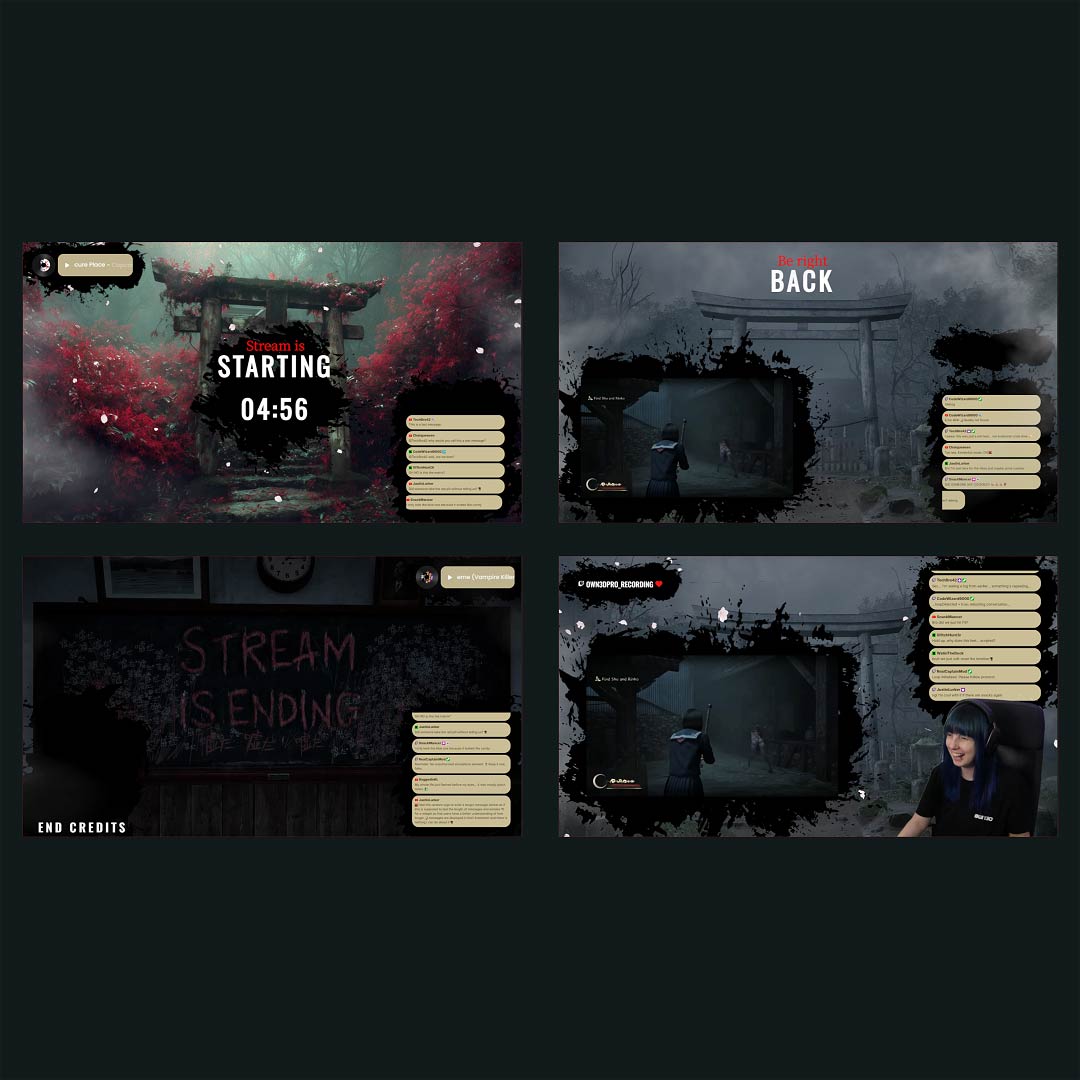

Silent Hill is known for its haunting atmosphere, shifting realities, and the unsettling quiet that surrounds every step forward. This overlay captures that eerie tension with muted tones, drifting particles, and subtle atmospheric motion that fits perfectly within the psychological horror theme. “Ashenfall” brings a sense of descending into the unknown, mirroring the game’s blend of mystery and dread. It enhances the mood without overwhelming your visuals, setting the right tone for horror playthroughs, challenges, or cinematic storytelling. Designed for streamers who want to immerse their viewers in the chilling world of Silent Hill, it delivers mood, depth, and identity in every scene.
DISCLAIMER: Please be aware that this overlay collection has been created independently and is not officially associated with, sponsored by, or endorsed by the publisher or developer of the game. Third-party elements used are publicly available and are not part of our paid offerings.
Get EVERYTHING You Need With the Stream Pass
Unlock the full power of OWN3D Pro with one simple plan. The Stream Pass gives you access to every professional tool, design, and asset you need to build your dream stream.
- Stream Overlay Maker
- 100+ Stream Widgets included
- 400+ Premium Premade Overlays
- 500+ Alerts
- Scene Transitions
- Emotes, Badges, Banners, Panels, Graphics
- Credits for our next generation AI Tools
Simply put: All of OWN3D Pro in one subscription.
Fast Setup your “Ashenfall” Overlay with Browser Source
- Log in to Your account
- Import your chosen scene templates
- Pick your streaming platform, Twitch or YouTube
- Customize the overlay with your own style and colors
- Copy the browser source link and add it to your streaming tool
- Go live and enjoy your upgraded look
Enhance Your Stream with Modern Widgets
Give your broadcast extra polish by pairing your overlay with customizable widgets from OWN3D Pro. Create cleaner scenes, highlight key moments, and fine tune your stream layout with tools that adapt to your style. These widgets help you shape an experience that feels cohesive, professional, and uniquely yours.
Compatible with All Streaming Tools that Support Browser Sources
Any software that allows browser source links will work seamlessly with the Ashenfall overlay, making setup smooth and flexible. You can integrate it into your current workflow without changing your streaming habits. Start streaming now!