 English
  German
 Spanish
 French
 Portuguese, Brazilian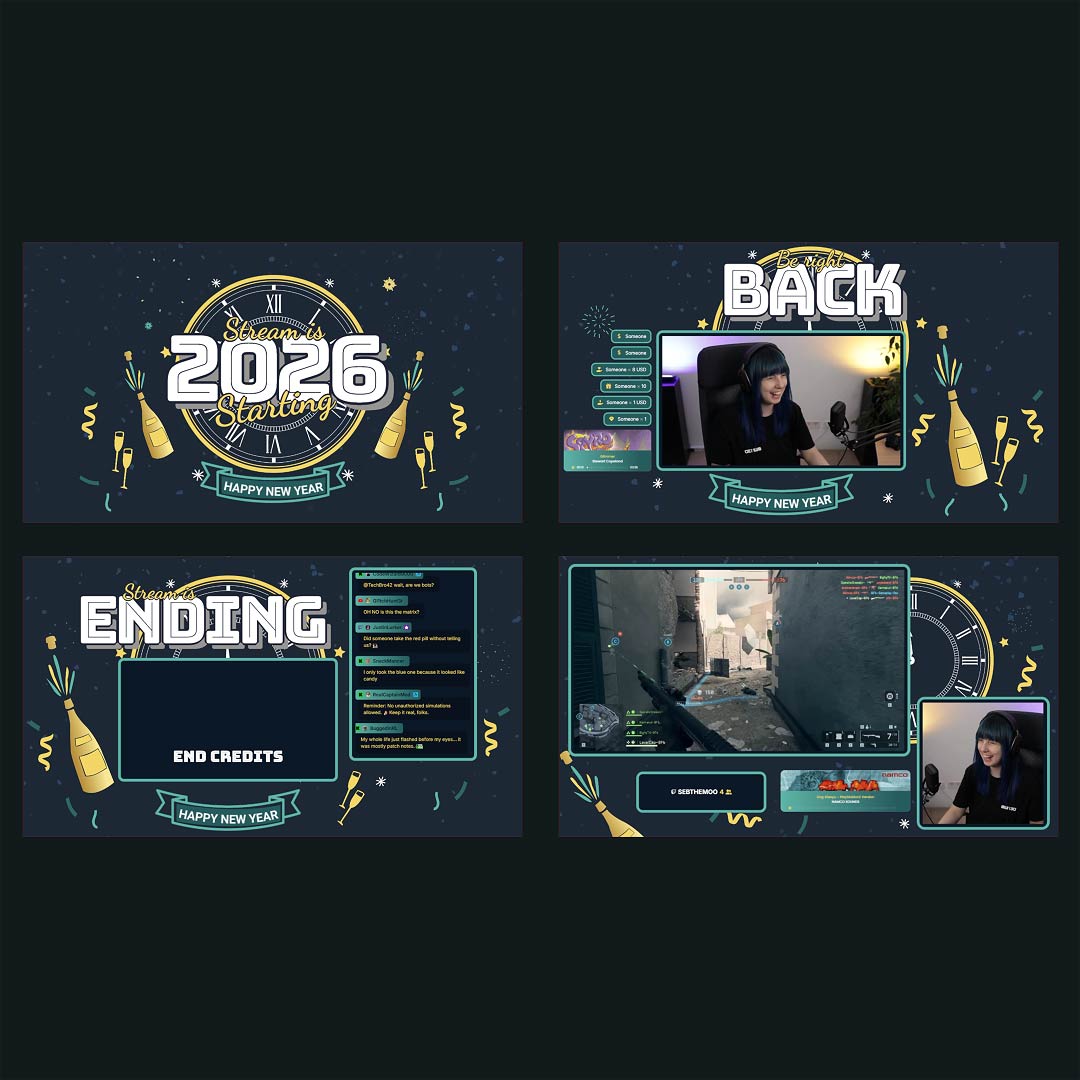

Step into the festive energy of New Year celebrations with an overlay that elevates every moment of your stream. The shimmering accents and lively animations capture the upbeat mood of countdowns, fireworks, and party vibes. Designed to fit the warm yet dynamic atmosphere of the season, the overlay blends style with clarity so your visuals stay clean and engaging. With its elegant golden touches, “Champessa” helps your scenes feel polished and perfectly in tune with the holiday spirit. Whether you stream cozy chats or high-energy events, this look brings a fresh start to your broadcast.
Get Everything You Need With The Stream Pass
Unlock the full power of OWN3D Pro with one simple plan. The Stream Pass gives you access to every professional tool, design, and asset you need to build your dream stream.
- Stream Overlay Maker
- 100+ Stream Widgets included
- 400+ Premium Premade Overlays
- 500+ Alerts
- Scene Transitions
- Emotes, Badges, Banners, Panels, Graphics
- Credits for our next generation AI Tools
Simply put: All of OWN3D Pro in one subscription.
Fast Setup Your “Champessa” Overlay With Browser Source
Step 1: Log in to your account Step 2: Import your chosen scene templates Step 3: Pick your streaming platform, Twitch or YouTube Step 4: Customize the overlay with your own style and colors Step 5: Copy the browser source link and add it to your streaming tool Step 6: Go live and enjoy your upgraded look
Add More Functionality With Customizable Widgets
Enhance your stream with powerful tools that boost clarity, engagement, and interaction. OWN3D Pro widgets make it easy to highlight alerts, display chat, or showcase events in a sleek and modern way. You can adjust layouts, choose unique visual styles, and tailor everything to fit your channel identity. With flexible widget options, your scenes become more dynamic and informative without ever feeling cluttered.
Easy To Use With Your Preferred Streaming Setup
No matter which software you use, as long as it supports browser sources, you can seamlessly run the Champessa overlay. The setup process stays clean and straightforward, allowing you to focus on creating great content. Enjoy smooth performance, consistent visuals, and a format that adapts to your workflow. Start streaming now!